
QI Business Accelerator
Keep selling — even when you’re not working on sales
QI Business Accelerator keeps leads, follow-ups and customer work moving in one workspace, and prepares the next step for you to approve.
Looking around needs no sign-up and no payment.
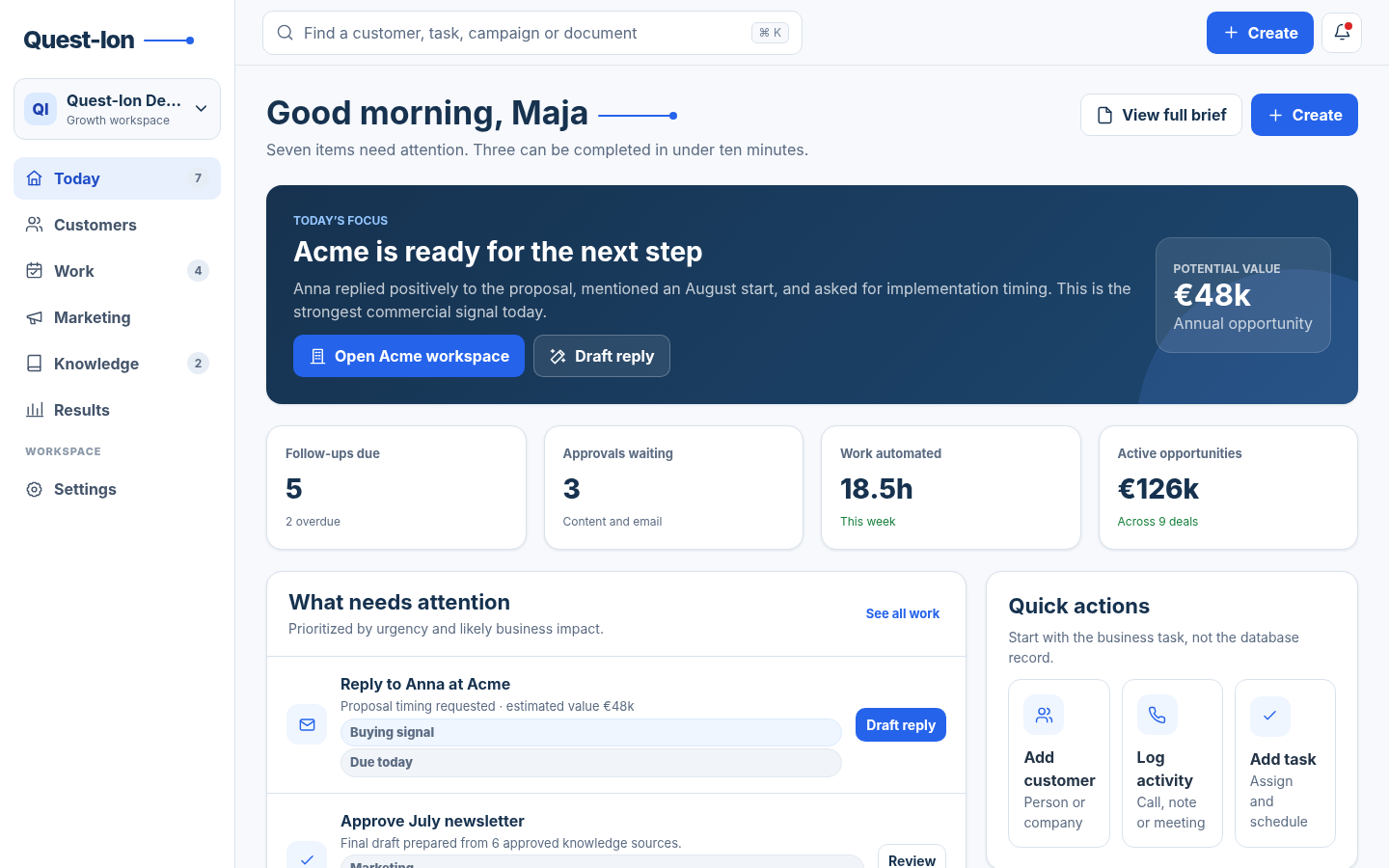
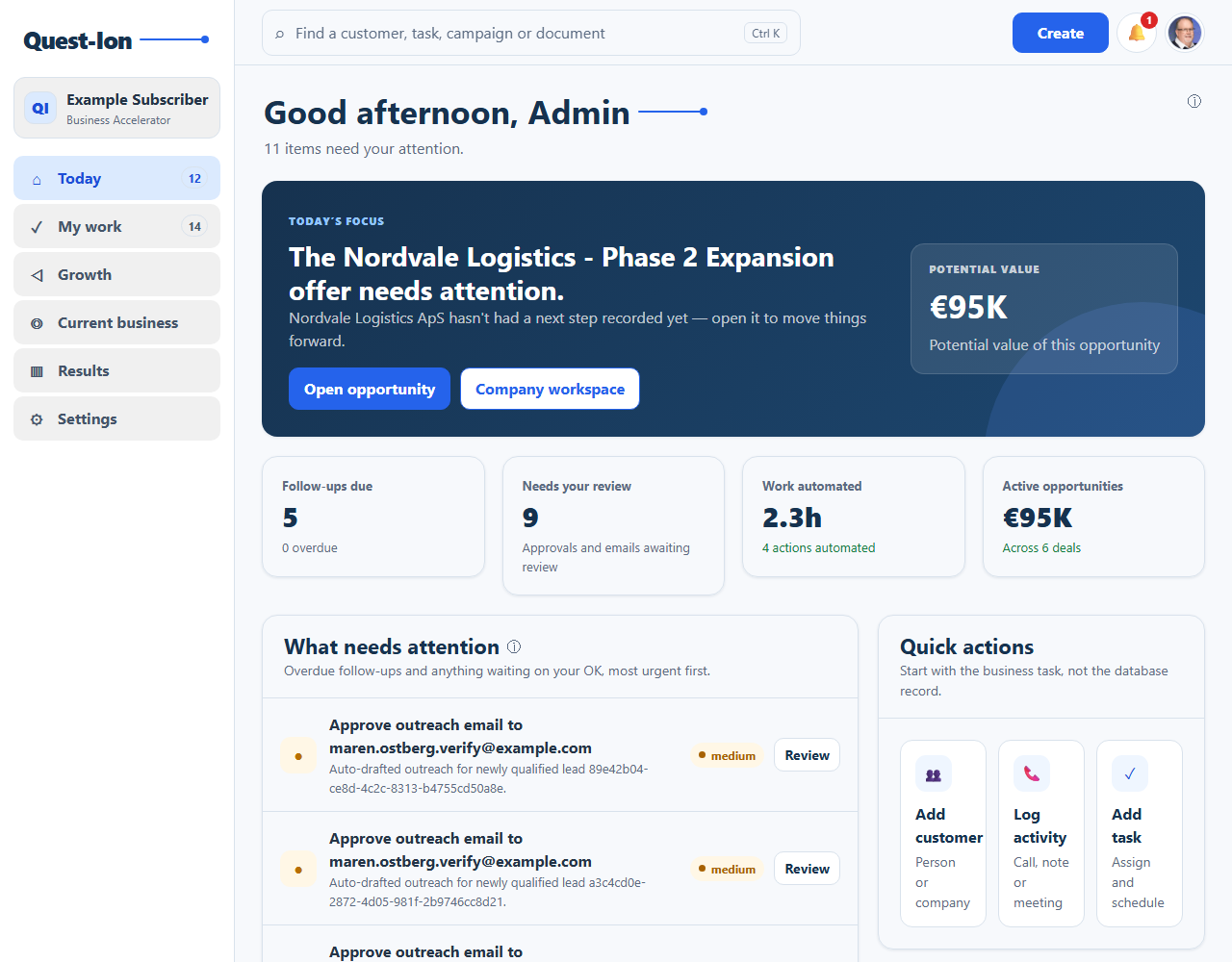
Today in QI Business Accelerator: the next step, follow-ups due and approvals waiting. Example data.
In the workspace
This is what is happening while you’re doing something else
Open QI and Today is already prepared: the strongest commercial signal first, the follow-ups that are due and the approvals that are waiting for you.
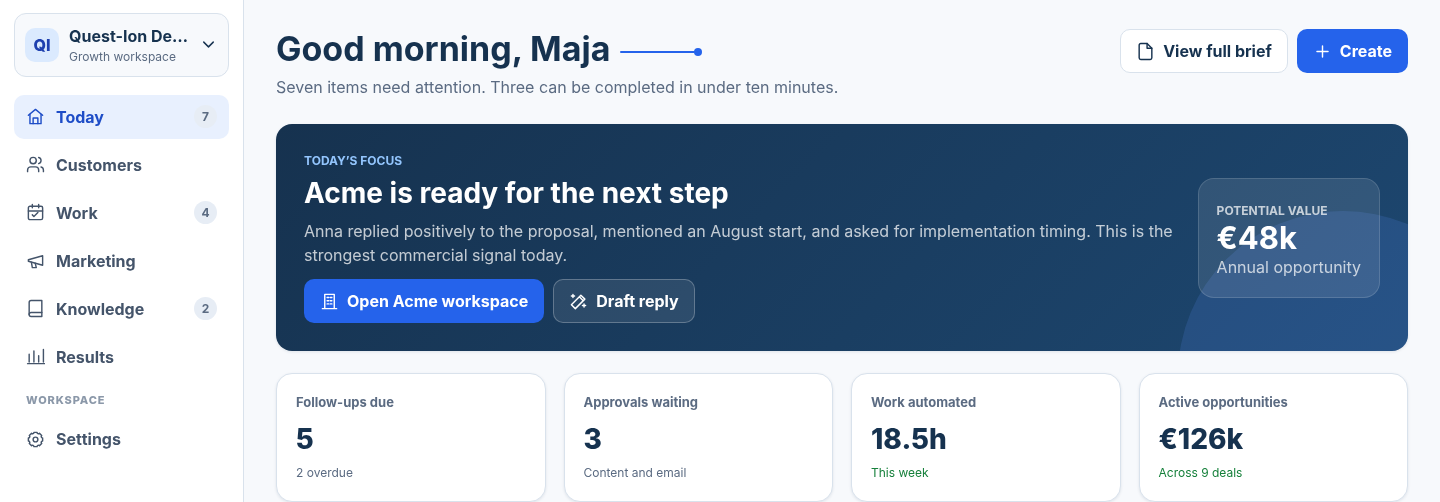
- A focus item with the next step prepared. Here, a customer replied positively and a draft reply is ready to review.
- Follow-ups due and approvals waiting, counted at the top.
- A list ranked by urgency and likely business impact.
Select the picture to enlarge it. Example data.
Why selling stalls
Selling stalls whenever you look away
Six everyday moments when the next step has nobody to take it. QI keeps the work moving and prepares what needs you.

Time off
Replies and approvals wait until you are back.
Prepared drafts and approvals wait in Today, not in your head.

Time with family
Work stops when you do, and deals slow down.
Automated follow-up steps keep going. Anything that needs you waits for your approval.

On site with a customer
A new enquiry arrives and nobody can answer it yet.
The enquiry is captured and the next action is prepared.

In a meeting or at a conference
The conversation ends and the follow-up depends on memory.
A follow-up is prepared for you to review.

On the road
You are away and cannot see what is pending.
Customer context and pending actions are ready when you return.

Too many screens
Customer details are spread across different tools.
The customer record brings context and next steps together.
Illustrative photographs, not customer stories.
One customer record, from first enquiry to renewal
Three stages share the same record, so nothing is retyped and nothing is lost between them.
Stage 1
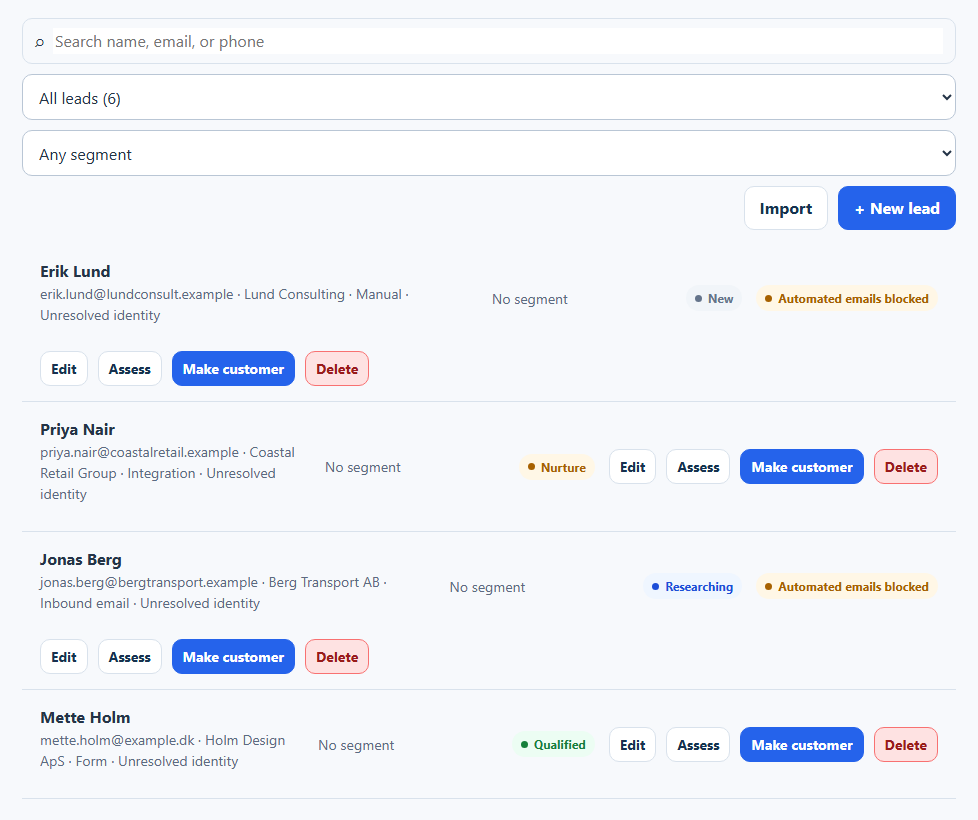
Capture and qualify
New leads arrive with their source and are checked against your ideal customer segments.
Stage 2
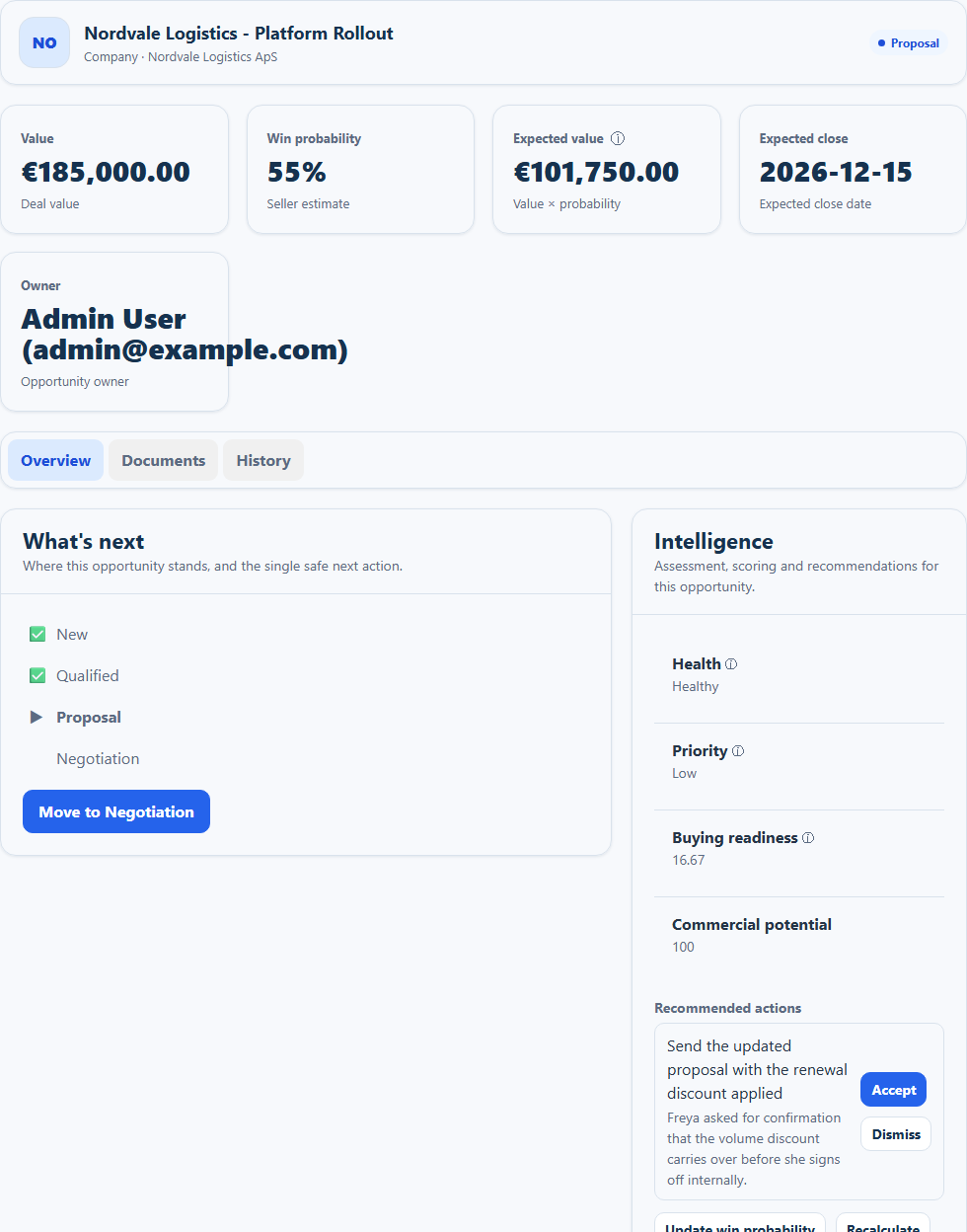
Sell and deliver
Follow-up, proposals and handovers stay attached to the opportunity, so nothing is lost when it is won.
Stage 3
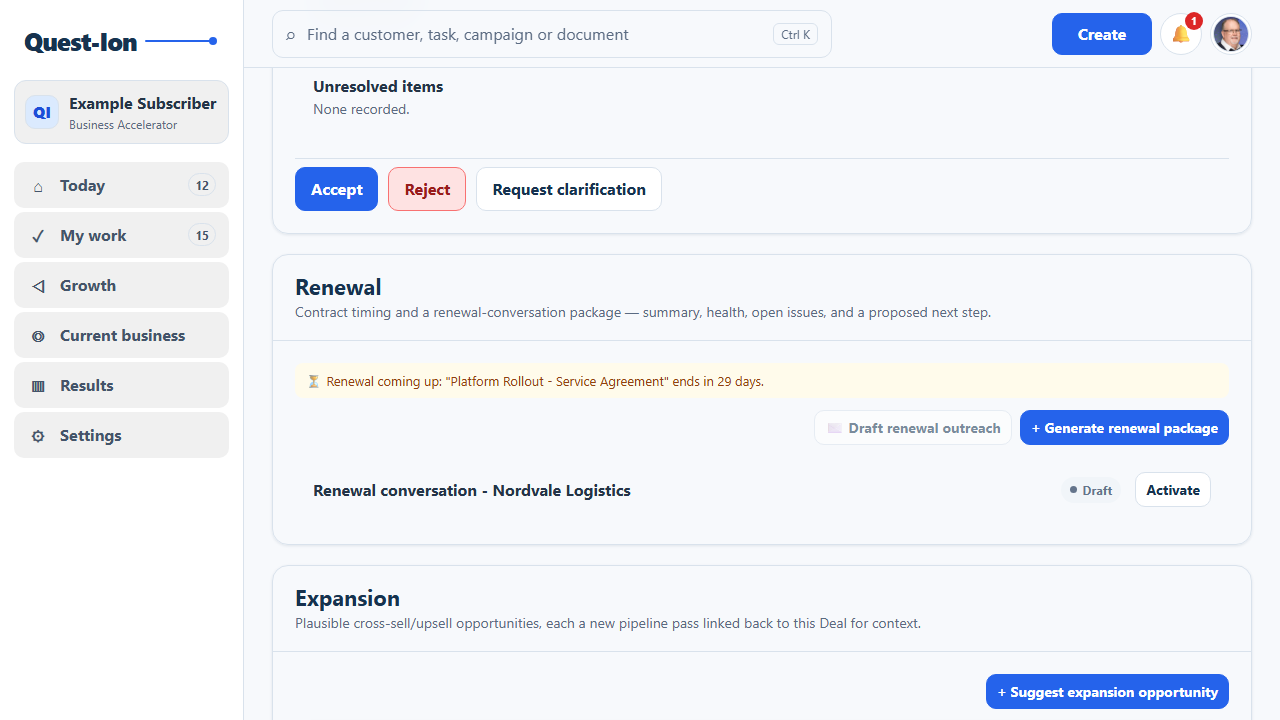
Retain and expand
Renewals and expansion are visible before they are urgent.
A worked example
One enquiry, from website form to renewal
Follow a single enquiry through QI and see where a person decides.
A website enquiry arrives
Northfield Engineering fills in a form on your website. The form sends it to QI through your website key or the public API.
Passed on: the message and where it came from
It is captured as a lead
QI records the enquiry with its source, owner and campaign, so nothing sits in an inbox.
Passed on: name, company, message, source
Qualification is applied
The lead is assessed against your ideal customer segments and scoring rules, so casual interest is told apart from real potential.
Passed on: qualification state and the reason for it
An opportunity is created
A qualified lead is converted into a company, a contact and an opportunity. Conversion here means a lead becomes a customer record and an opportunity, not a closed sale.
Passed on: the lead history, the company and the contact
A first response is prepared
An AI-assisted email draft is written from the lead and the customer context.
Passed on: the draft, with the context it used
- You decide
A person reviews it
The salesperson reads the draft, edits it and approves it. Nothing is sent before that.
Passed on: the approved reply
Follow-up is scheduled
The next step is set as a task or commitment, and it appears in Today when it is due.
Passed on: owner, due date and the customer record
A proposal is prepared
A proposal draft is prepared from the opportunity and the customer context, and goes through approval before it is used.
Passed on: scope, deliverables and timing, from the opportunity
The won customer moves into delivery
When the opportunity is won, the handover carries the commitments, documents and next steps to whoever delivers.
Passed on: the confirmed scope and the customer context
A renewal or expansion task appears
Before the renewal lead time you set, QI surfaces the renewal and any expansion opportunity, with the customer history beside it.
Passed on: the timeline, the owner and the renewal date
An example with fictional data: Northfield Engineering does not exist. Which steps wait for your approval depends on how you configure your sales funnels and marketing flows.
What keeps selling moving
What you see, and where you decide
Workflows, AI drafts and one customer view keep the next step ready. You make the calls.
Workflows
Follow-up that does not wait for you to remember
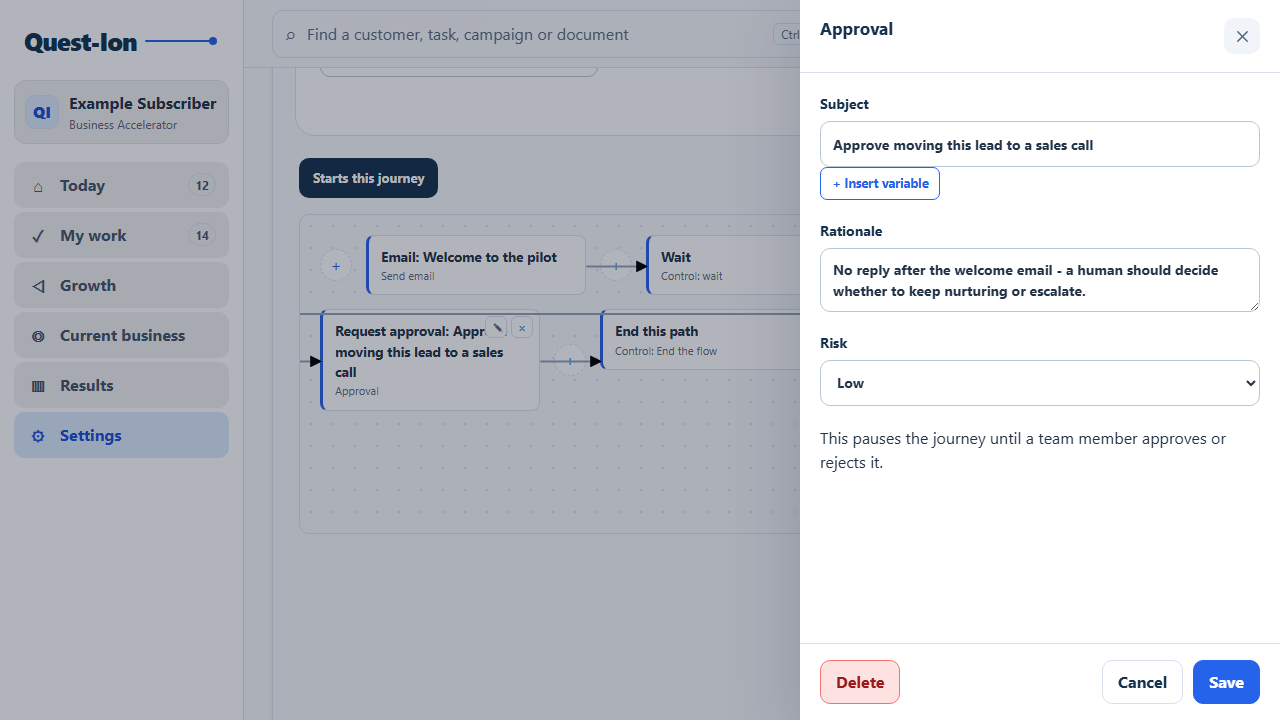
Stages, automated emails and approval steps on one canvas, with the next step clearly not yet taken.
You decide: a workflow pauses at an approval step until someone decides.
AI with oversight
Drafts prepared from the customer’s context
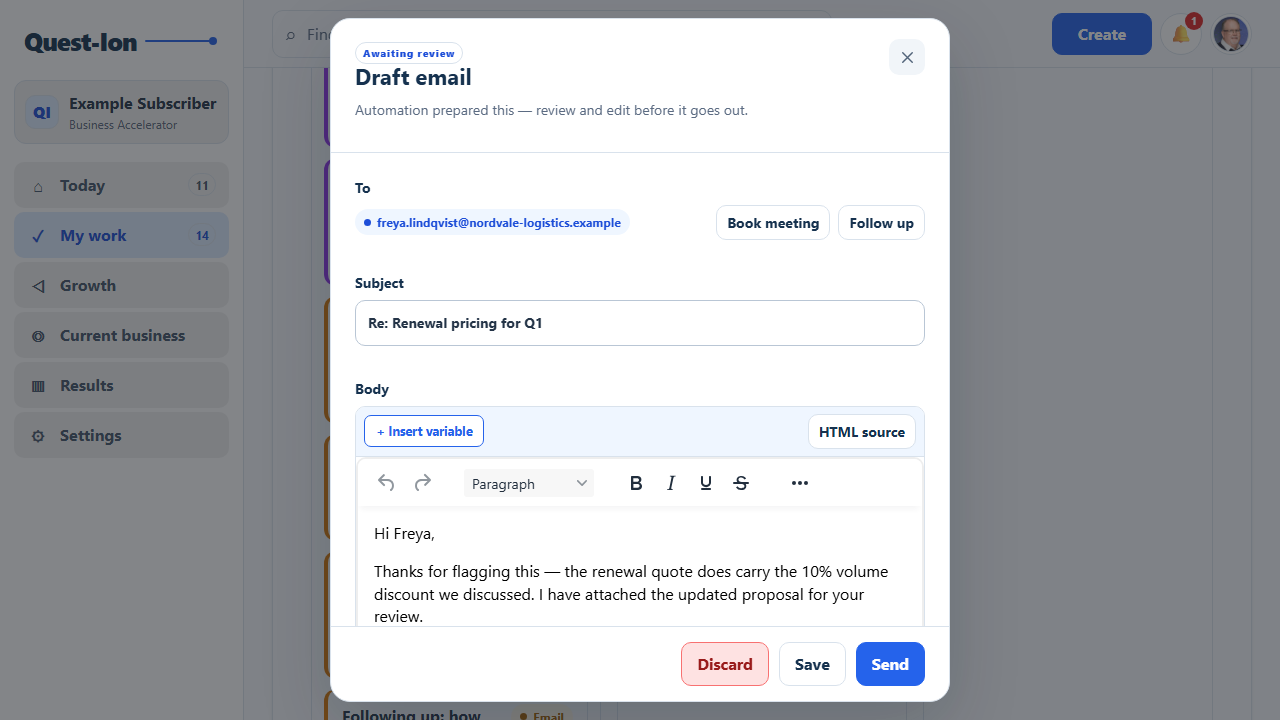
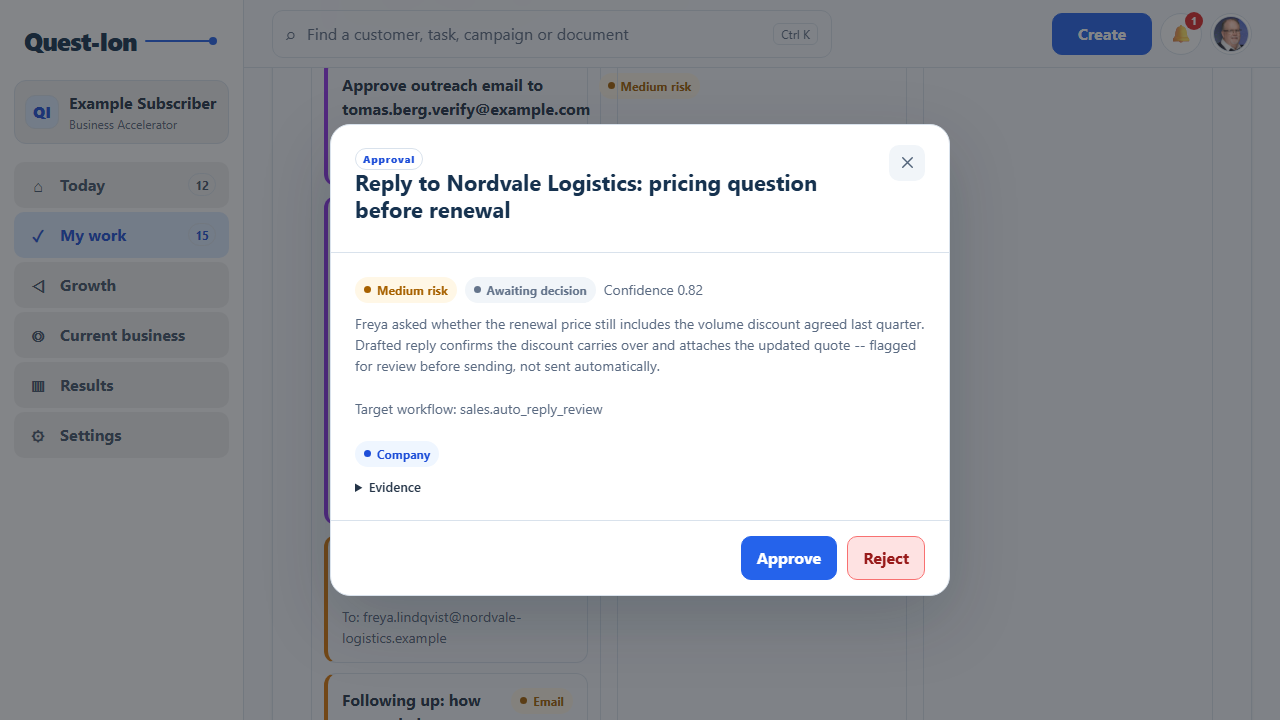
An incoming email beside a drafted reply and the customer context it used.
You decide: you read and edit the draft before it goes out.
Customers
Every next step starts with the full picture
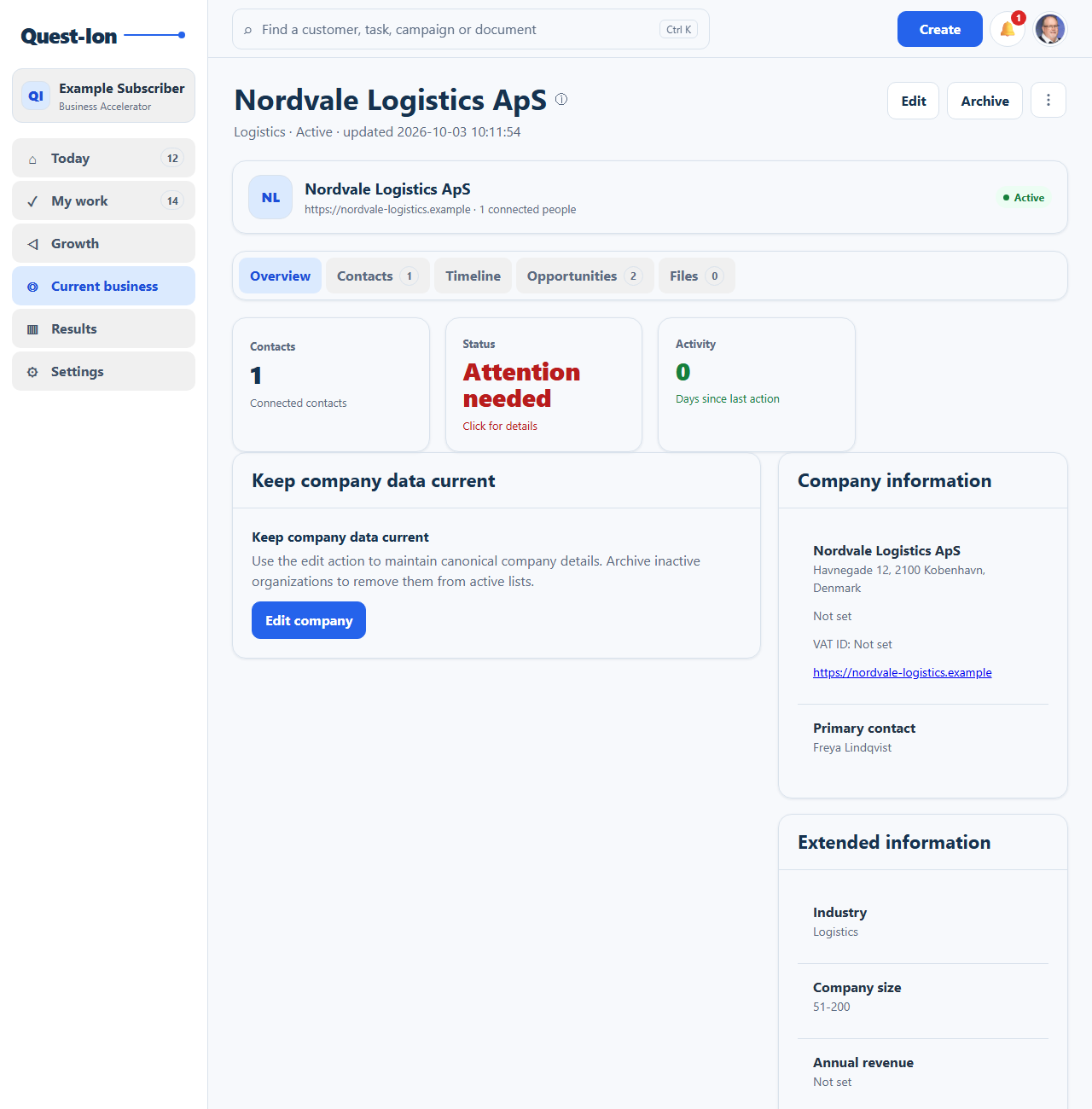
Contacts, opportunities, history and intelligence for one company in one record.
You decide: you choose the next action. The record shows what has already happened.
Today
See what needs you, and only that
A list ranked by urgency and likely business impact, with its quick actions.
You decide: you open an item, draft a reply or approve it.
Results
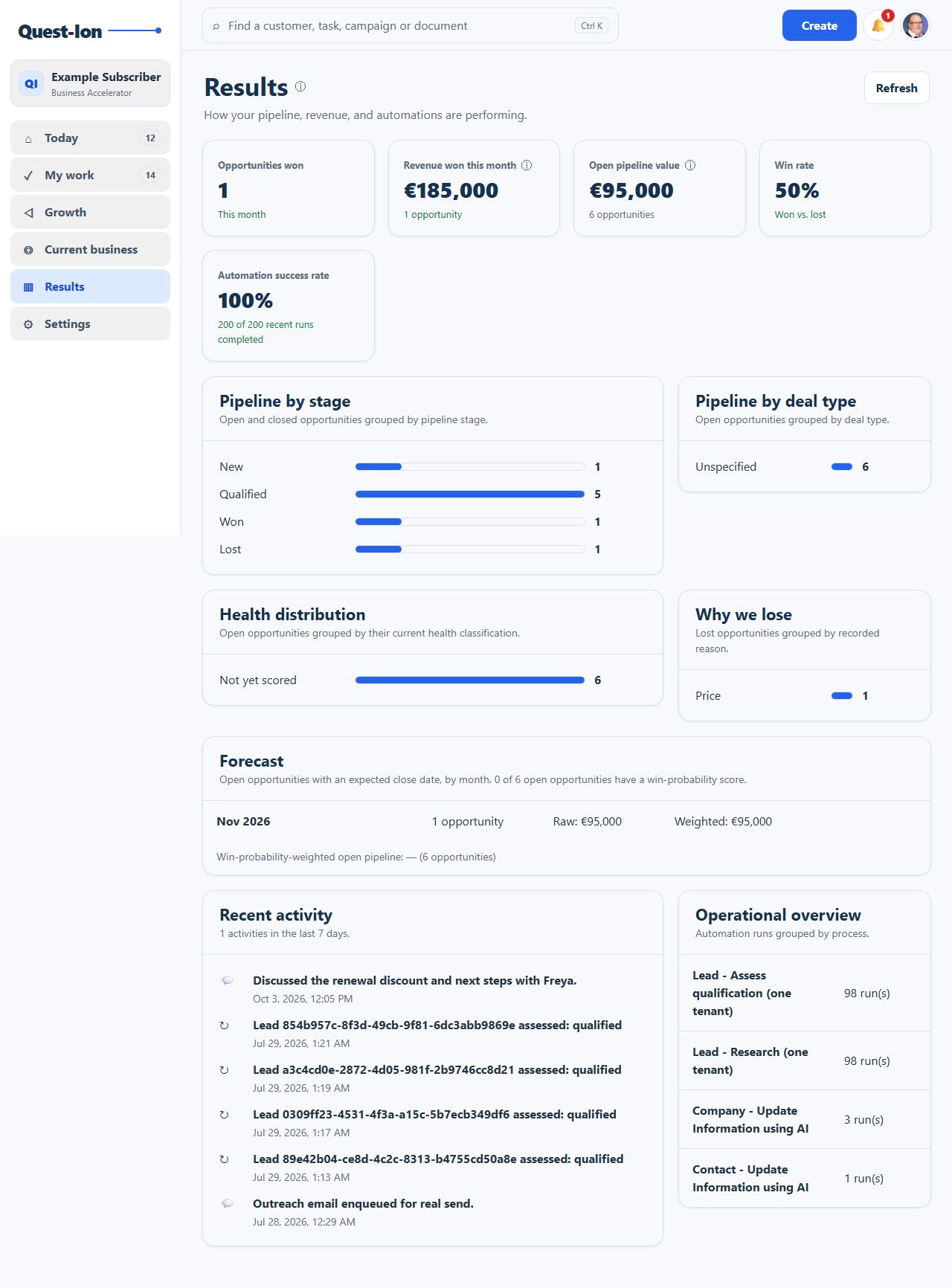
See what is working
Pipeline value, revenue indicators and marketing performance.
You decide: you adjust funnels and templates based on what the numbers show.
Selling with you in control
AI prepares. You decide.
AI drafts replies, proposals and marketing content from your customer context. You review and edit what it prepares. Approval steps are part of the funnels and flows you configure.
AI can be wrong, so the final decision stays with a person.
Is it a fit?
QI suits businesses whose selling is spread out
- Follow-up and customer work are spread across inboxes, spreadsheets and different tools.
- Leads, opportunities and renewals need a process that repeats.
- You want AI to prepare drafts while people stay in charge of what is sent.
QI handles business customers and individual consumers, and it does not replace every system you use. It connects to your website, WordPress, your mail host and social channels.
Getting started
Subscribe, then set up your workspace
- Choose a plan and pay on Stripe Checkout. Your sign-in details arrive by email.
- Set up your business information, pipeline stages, email and team in the workspace settings.
- Ask us if you are unsure about fit or setup.
Who is behind QI
QI Business Accelerator is built by Quest-Ion. About Quest-Ion
Ready to look closer, or ready to start?
Explore the product first, ask us a question, or subscribe when you are ready.